
Increase Volume: Sound Enhance for Android
Increase Volume: Sound Enhance is a free Android app that makes quiet audio files louder — up to 200 % — with bass boost, a five-band equalizer, and an export that writes the enhanced copy to your device.
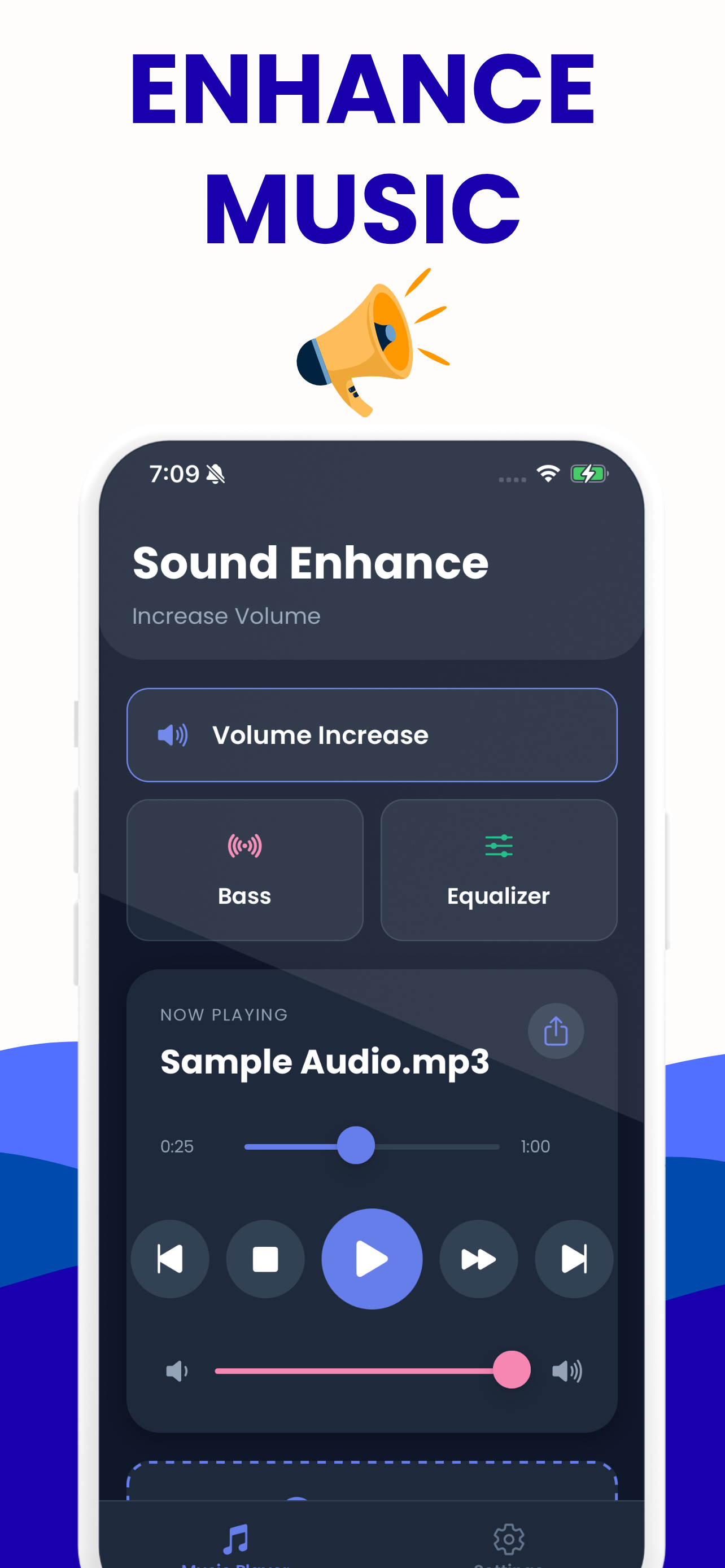
What you get
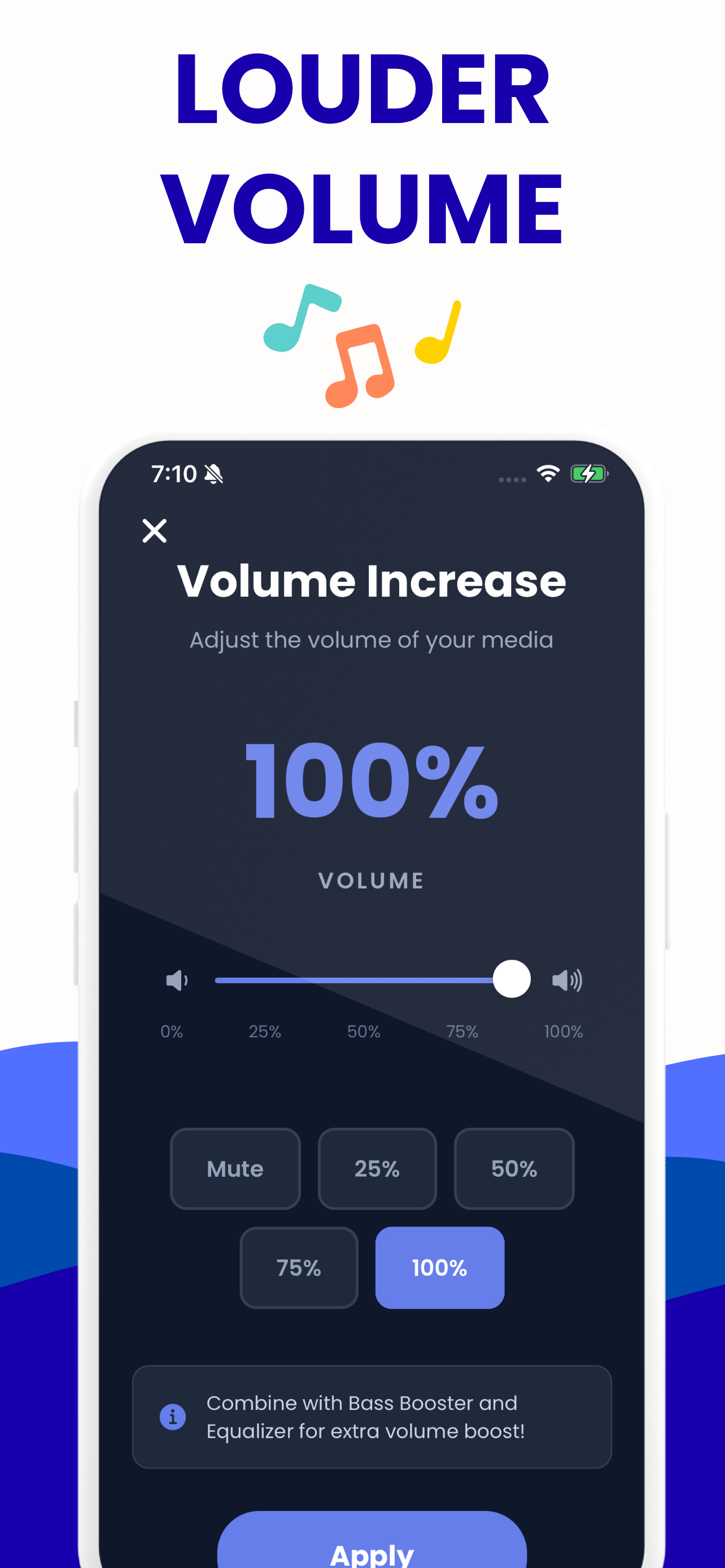
Volume up to 200 %
Slider plus presets at 50 %, 100 %, 150 % and 200 %, applied to the file itself so it plays louder in every app afterwards.
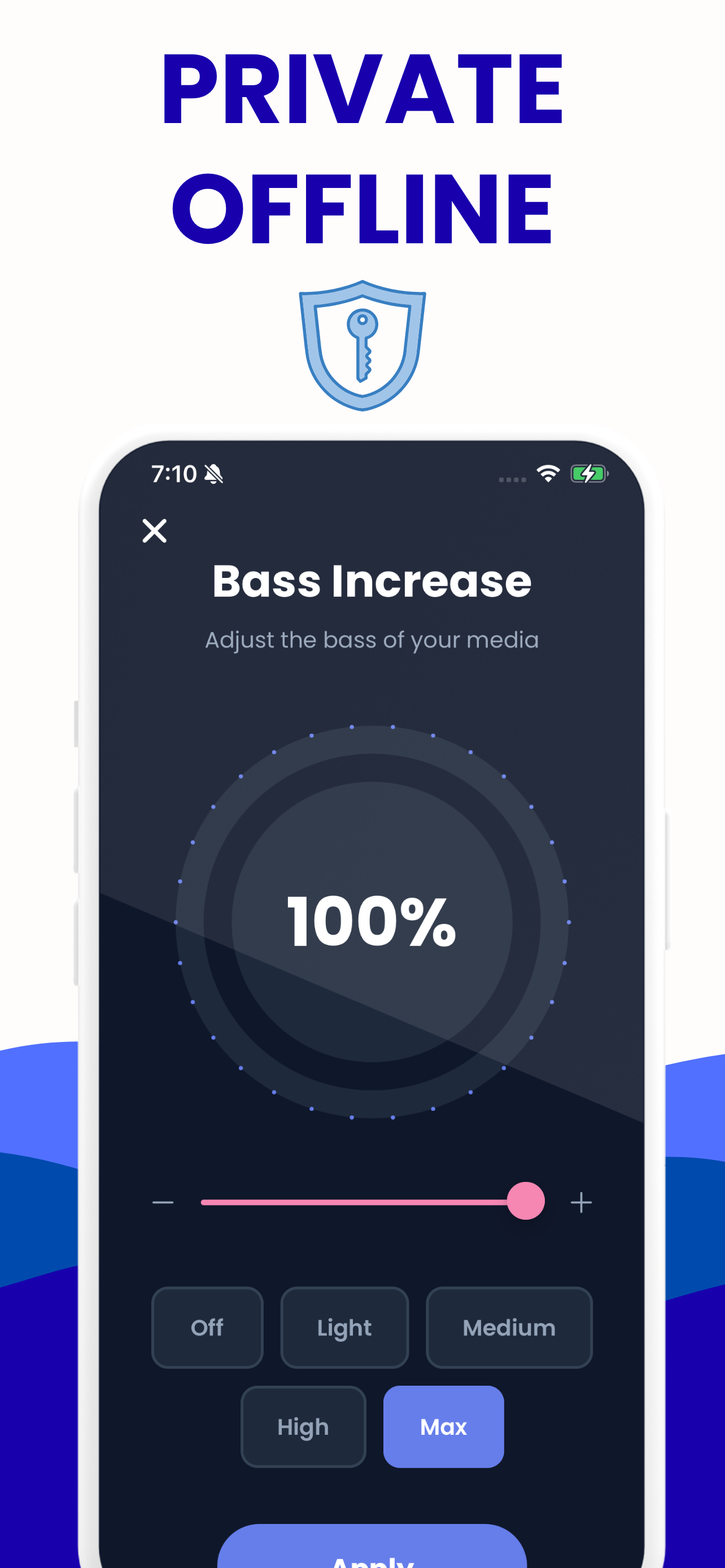
Bass boost
Off through Max, for headphones, Bluetooth speakers and car audio that need more weight.
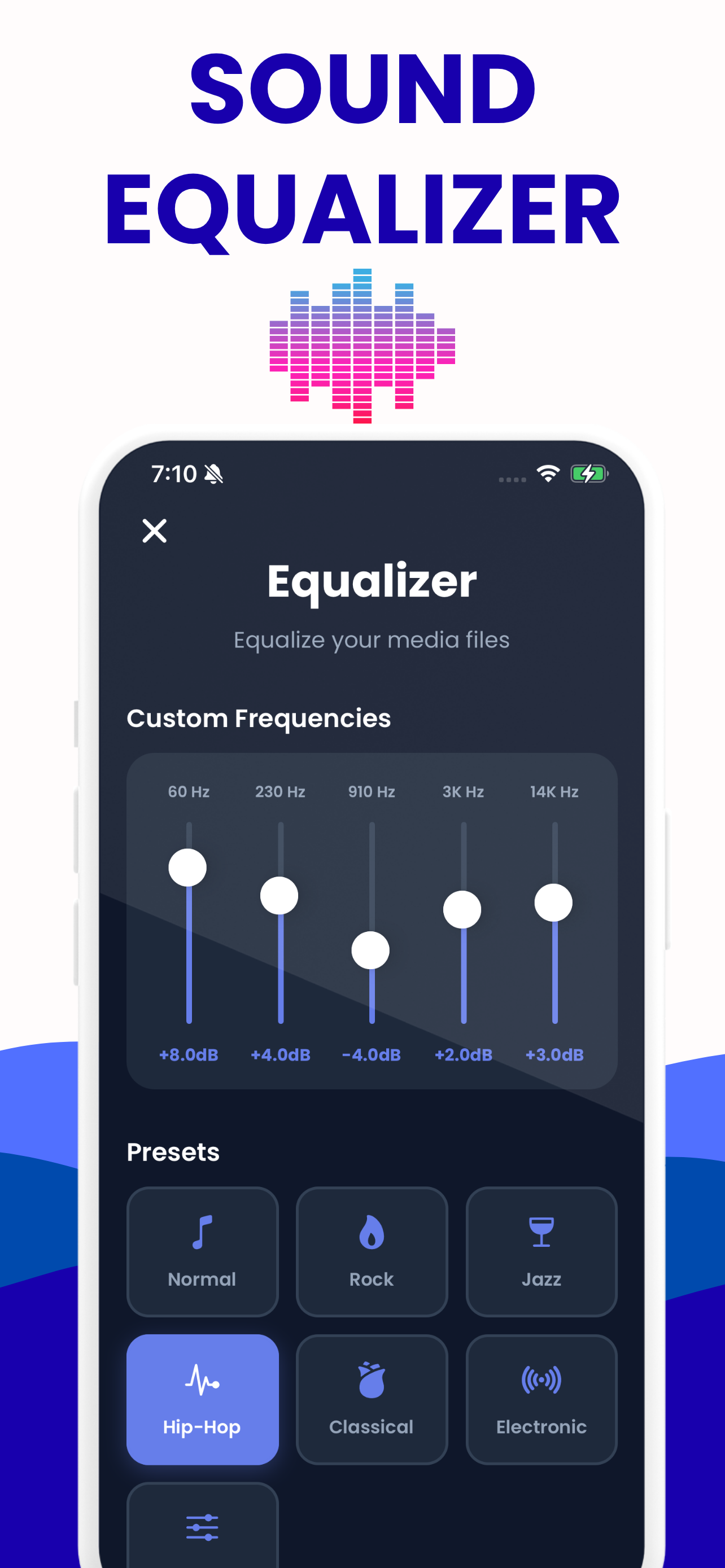
Five-band equalizer
60 Hz, 230 Hz, 910 Hz, 3 kHz and 14 kHz with Rock, Jazz, Hip-Hop, Classical and Electronic presets, plus a custom curve.
Your own library
Pick files from your storage and keep them together, with the settings you chose remembered per track.
Real file export
Render and save an actual processed audio file, not just a louder playback inside the app.
No account, no upload
Everything runs on the device, offline, with nothing sent anywhere.
What it does
Load an audio file that is too quiet, push the volume up, shape the bass and the five equalizer bands, and export a louder copy. Because the export is a real file, the new level travels with it — into your music player, your car, a messaging app, wherever it needs to go.
Android system volume, honestly
Android is more permissive than iOS about audio, but the meaningful gains still come from processing the file rather than fighting the operating system. Apps that promise to push your system volume beyond its maximum are generally applying gain to their own playback and calling it a system boost. This app is straightforward about what it is: a file processor with a good equalizer.
One genuine Android advantage is that the exported file lands in your normal storage, so any other app on the phone can pick it up immediately.
Try it here first
The same engine runs on this website, free and with no install — the volume booster, bass booster and equalizer all use the identical frequencies and preset values. Chrome on Android runs them fine. If it does what you need there, the app adds your library and offline convenience.
Free to use
Free download, no watermarks, no time limit. An optional premium subscription removes the export limit for people processing a lot of files.
Increase Volume on Android
Load a file, shape it, save the enhanced copy — and keep your library between sessions.

Android questions
Short answers here, the full story in the guides.
Is there a free volume booster app for Android?
Yes — Increase Volume: Sound Enhance is free on Google Play. It boosts audio files up to 200 % with bass and equalizer controls, and works entirely offline.
Do Android volume booster apps actually work?
The ones that boost the audio file do. The ones that promise to push system volume past its maximum are mostly applying gain to their own playback. This app is the first kind.
Does it need internet or an account?
Neither. Everything is processed on the device, nothing is uploaded, and there is no sign-up.
Where does the exported file go?
Into your device storage as a standard audio file, so any other app on the phone can open, play or share it.
Can I try it before installing?
Yes — the tools on this website are the same engine and run in Chrome on Android with nothing to install.